Sheet design
Columns, hierarchy, and views that match how work actually moves.
A sheet that started as a tracker and became a dump nobody trusts.
A clean grid, named columns, and a hierarchy that still reports when rows nest.
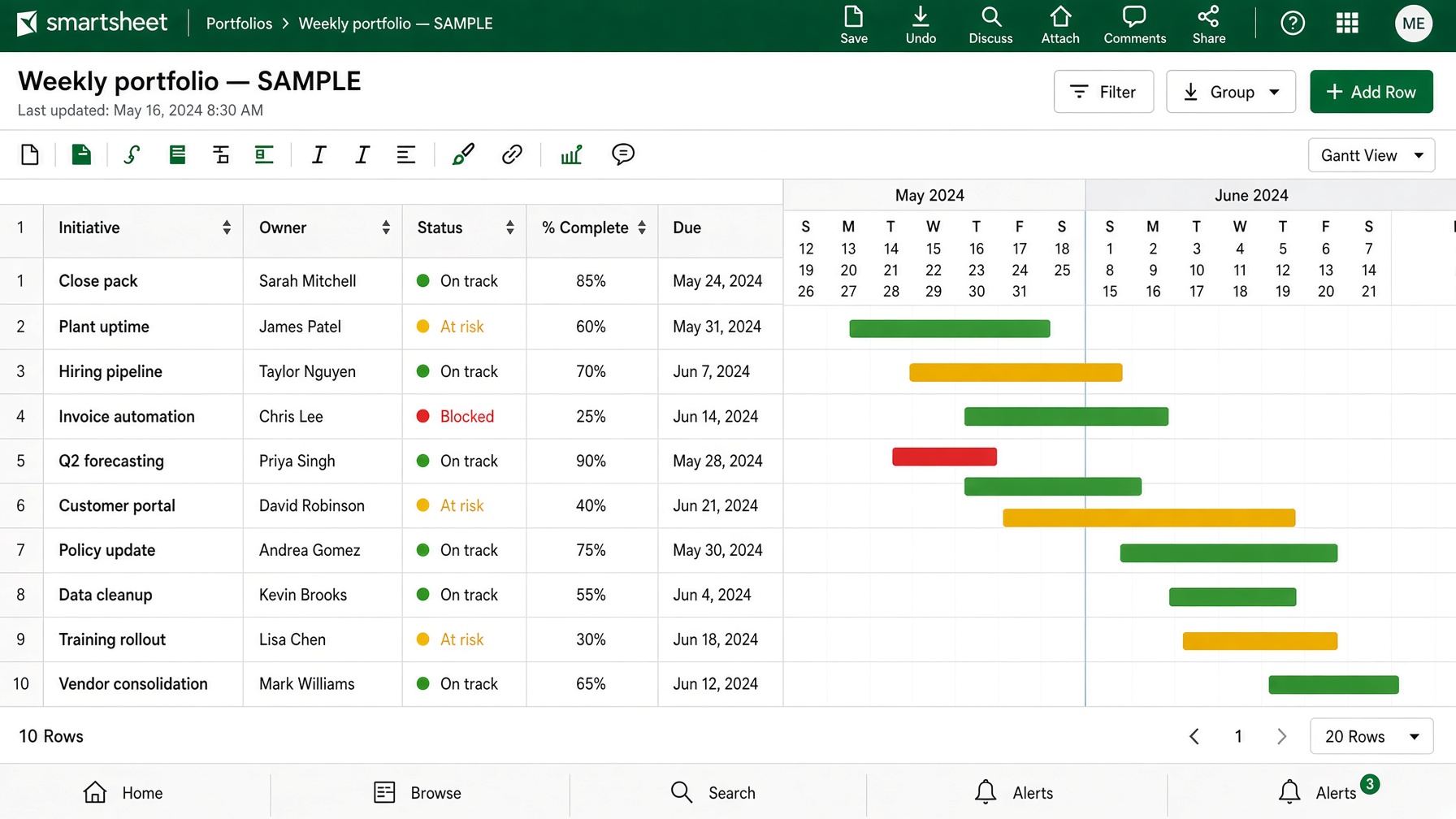
One live sheet. Not twelve versions of the plan.
PeekGraph designs the tracker, Control Center rollups, and the automation around them — so status is current when the meeting starts, and nobody is pasting from email.
Smartsheet sheet design, project trackers, Control Center, reports, automation, and WorkApps. Scope is named on the call — nothing is billed from this page.
Columns, hierarchy, and views that match how work actually moves.
A sheet that started as a tracker and became a dump nobody trusts.
A clean grid, named columns, and a hierarchy that still reports when rows nest.
Gantt, card, and grid on the same work — status, owner, date, dependency.
A plan in slides, a list in email, and a sheet that is two weeks behind.
One tracker leadership can open without a walkthrough.
Many projects, one blueprint, one portfolio view.
Copying a “template” by hand. Every new job looks different by week three.
A provisioned structure and rollups that still add when a new project starts.
The meeting view: what is late, who owns it, what moved this week.
Exporting the sheet to build a slide that is already stale.
Reports and a dashboard that read the live sheet, not a screenshot.
The sheet tells people. You do not chase them.
A reminder in someone’s head, or a weekly email that nobody reads.
Alerts, update requests, and approval paths that fire on the row, not on memory.
People submit work without touching the grid.
A form that dumps into a mess, or a sheet everyone is afraid to edit.
Intake that lands in the right row, with a simple surface for people who should not see fifty columns.
Work already lives in Smartsheet, and the grid still needs a walkthrough.
The same structure on every job, not a new invention each quarter.
Status without opening twelve sheets.
Status lives in five sheets → one tracker with owner, date, and red/amber/green. Demonstration data, not a client file.
Only if Excel is still the system. If Smartsheet already exists, the work starts there and fixes the layer that is lying.
Not always. The call is where a single tracker is enough, or a blueprint is needed.
A written range comes after the call. Nothing is billed from this page.
Yes. Most work starts with the sheet already in the meeting.
No. The sample on this page is a demonstration.
Yes. The files stay with you at handoff.
Smartsheet is the plan, not the metric. These two notes say when the sheet is the right home, and when it is not.
Smartsheet vs Excel when the plan keeps drifting
How to choose between Power BI, Tableau, Smartsheet, Python, and R